
I Built a Production Website
From My Phone While Snowboarding
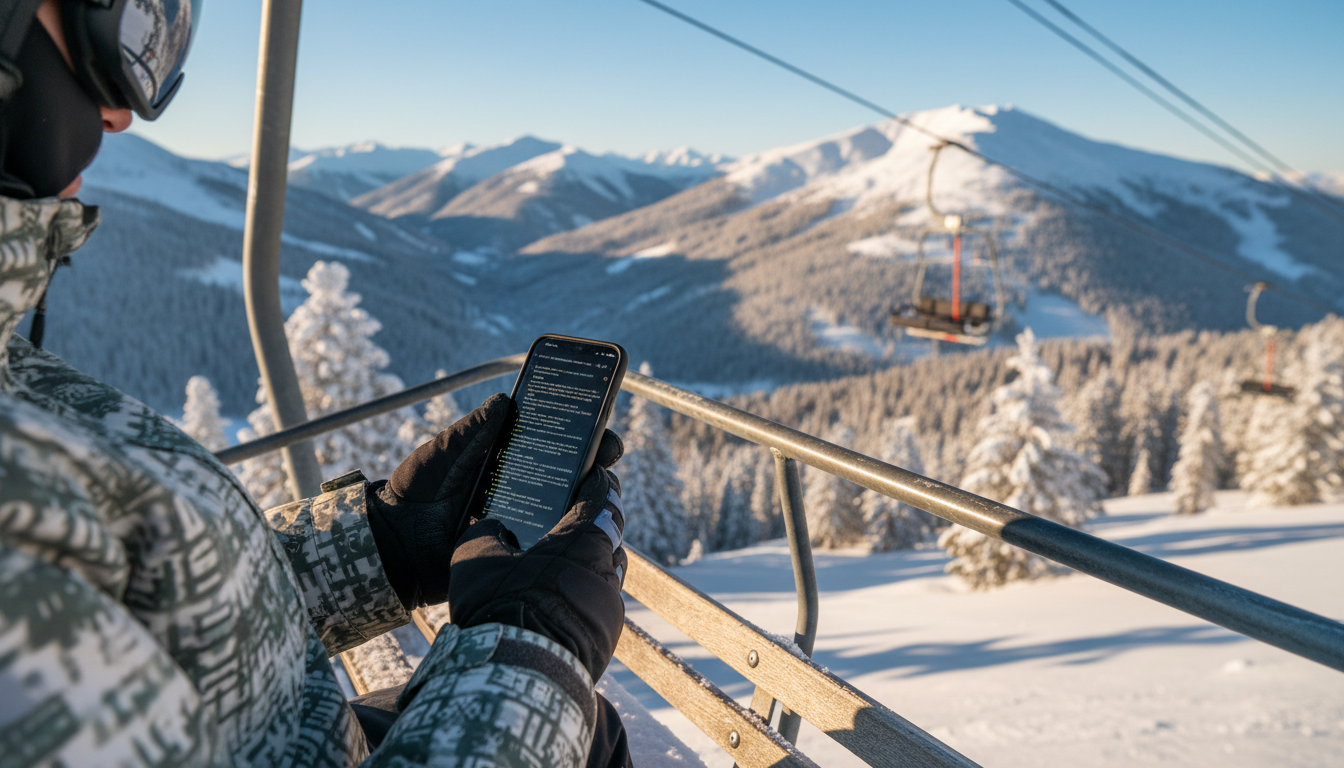
Using Happy Engineering and the GSD framework, I created, deployed, and launched slopestatus.com entirely from my iPhone—during breaks on a ski trip with my son.
By William Alexander, Senior Web Developer
The Setup
Last weekend I took my son snowboarding. During breaks—warming up in the lodge between sessions—I had an idea for a website I wanted to build. Instead of waiting until I got home, I decided to see just how far I could push mobile development with Claude Code. The answer: all the way to production.
What I Built: SlopeStatus.com
SlopeStatus is a real-time ski trail status aggregator that scrapes trail data from dozens of ski resorts every hour and displays which mountains have the most terrain open—so skiers can make informed decisions about where to go. New resorts are constantly being added automatically, so the coverage continues to grow.
The idea came from a real frustration: checking individual resort websites is tedious, and conditions change constantly. Now I can glance at one page and instantly see that Snowshoe has 85% of trails open while Winterplace only has 40%.
SlopeStatus Features
Real-Time Trail Data
Hourly scraping of trail status from dozens of resorts—and growing. New resorts are added automatically. Each resort shows open/total trails, percentage, and last update time.
Find Your Perfect Resort
Filter by ski pass (Indy, Epic, Ikon), search by name, save favorites, or find resorts within a specific distance from your zip code using Haversine distance calculation.
Conditions at a Glance
Each resort page shows current temperature, base and summit snow depth, new snow in the last 24/48 hours, and general conditions—all scraped automatically.
Trail Change Alerts
Enable browser notifications to get alerted when trail counts change at your favorite resorts. Know immediately when more terrain opens up.
Tech Stack Under the Hood
Frontend
- • Astro 5 - Static/SSR site generator
- • Tailwind CSS - Utility-first styling
- • TypeScript - Type-safe code
Backend & Data
- • Netlify Functions - Serverless scraping
- • Netlify Blobs - Key-value storage
- • Cheerio - HTML parsing/scraping
Deployment
- • Netlify - Hosting & CDN
- • Scheduled Functions - Hourly scraping
- • Git-based deploys - Push to deploy
Custom Scrapers
- • Resort-specific scrapers (and growing)
- • Weather data extraction
- • Trail difficulty parsing
How I Built It From My Phone
Connected to My Mac with Happy Engineering
Happy Engineering is a mobile client for Claude Code (see my review). I already had it installed, so I could connect to my Mac from my iPhone and control Claude Code sessions remotely with end-to-end encryption.
Created the Project Directory Remotely
From my phone, I had Claude Code create the project directory on my Mac and initialize the repository. I didn't need to touch my laptop at all—I just typed commands from the ski lodge.
Installed GSD (Getting Shit Done)
I'd been wanting to try the GSD framework for Claude Code, and this seemed like the perfect test project. From my phone, I installed it on my Mac and set up the project structure. GSD provides a structured workflow for planning, executing, and verifying multi-phase projects—and this trip would be my first real experience with it.
Used GSD to Plan the Build
GSD breaks projects into phases with clear deliverables. I planned out the architecture: data scraping, storage, frontend, filtering, and deployment. Each phase had specific tasks that Claude could execute autonomously while I was on the slopes.
Built the Application During Lodge Breaks
During breaks in the lodge, I'd check on Claude's progress, review code, and give direction for the next phase. The notification system in Happy meant I knew when Claude needed input. Most of the actual coding happened while I was snowboarding—Claude just worked.
Bought the Domain and Configured Hosting
I purchased slopestatus.com from my phone, set up Netlify hosting, and configured automatic deployments from the Git repository. DNS propagation happened while I was on a particularly long lift.
Launched to Production
By the end of the weekend, slopestatus.com was live with resorts being scraped hourly—and the list continues to grow automatically. I showed it to my son on the drive home—he was suitably unimpressed, as teenagers are.
The Tools That Made This Possible
Mobile client for Claude Code. Control your terminal sessions from your phone with E2E encryption.
Structured project management for Claude Code. Plan phases, track progress, verify deliverables.
Anthropic's agentic coding assistant. The engine that actually wrote the code.
What I Learned
Mobile development is real now: This wasn't a gimmick. I genuinely built a production website without touching my laptop. Happy Engineering makes phone-based development practical.
GSD keeps complex projects on track: Without the structure GSD provides, this would have been chaos. Breaking the project into phases with clear deliverables let me context-switch between snowboarding and coding.
Asynchronous workflows are powerful: I'd kick off a task, go snowboard for 30 minutes, and come back to find it done. The notification system meant I wasn't constantly checking—I knew when Claude needed me.
Start with a real problem: I built SlopeStatus because I actually wanted it. Having a clear use case and being my own user made every decision easier.
Check Out SlopeStatus
Real-time trail status for dozens of ski resorts—with more being added automatically. Find the best conditions without checking a dozen websites.
Visit slopestatus.com →The Takeaway
The combination of Happy Engineering for mobile access and GSD for project structure turns Claude Code into something genuinely portable. I didn't sacrifice family time to build this—I built it during downtime that would have otherwise been spent scrolling social media. That's the future of development: it happens when and where you want it to.
Be present. Build things. Do both.