
Happy Engineering:
Claude Code On The Go
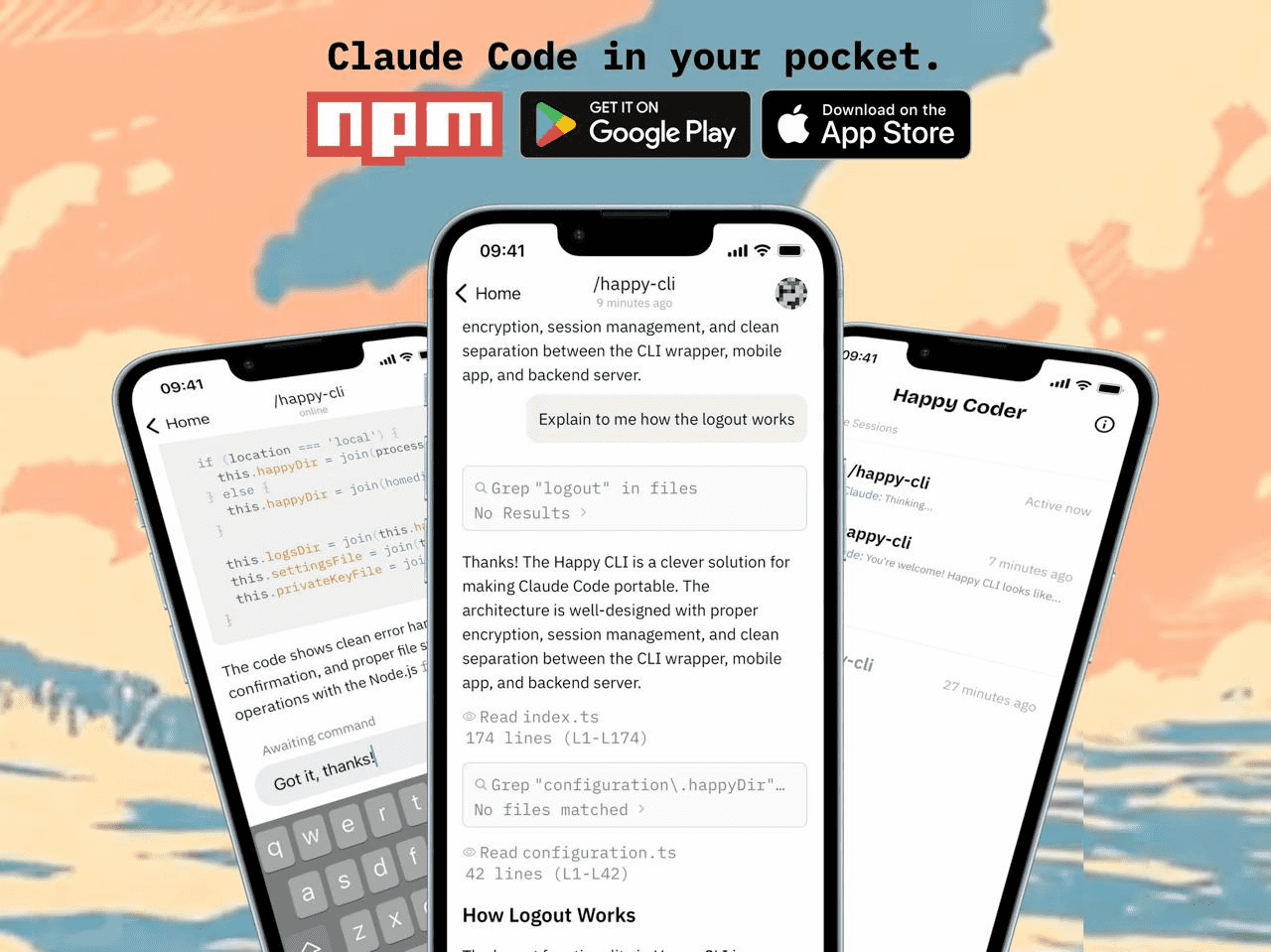
A free, open-source mobile client that lets you control Claude Code from anywhere. After initial testing, this is a solid tool I'd recommend to anyone using Claude Code regularly.
By William Alexander, Senior Web Developer
Update: Tested and Impressed
After some initial testing, I can confidently say Happy delivers on its promises. The setup was straightforward, the connection is reliable, and being able to monitor and interact with Claude Code from my phone has already proven useful. If you use Claude Code regularly, this is worth adding to your toolkit.
What is Happy?
Happy is a free, open-source mobile and desktop application that lets you control Claude Code remotely—from your phone, tablet, or any web browser. It's essentially a mobile client for Claude Code that keeps you connected to your development sessions even when you're away from your computer.
The appeal is straightforward: Claude Code is incredibly powerful, but it runs in your terminal. What if you're on the train, in a meeting, or just away from your desk? Happy bridges that gap by letting you monitor, interact with, and even issue voice commands to Claude Code sessions running on your workstation.
It's MIT-licensed and open source, which means you can inspect exactly how it works—and importantly, verify its security claims yourself.
Key Features
Run Several Projects
Connect to multiple Claude Code instances running on different machines or in different projects. Switch between them from your phone without leaving your couch.
Hands-Free Commands
Speak your instructions instead of typing. This isn't just transcription—it's described as "real-time voice-to-action" that can execute commands directly.
Privacy First
All communications are encrypted on your device before being sent. The relay server that connects your phone to your computer cannot read your data—it just passes encrypted messages along.
Know When You're Needed
Get push notifications when Claude needs input, encounters an error, or completes a task. You're not constantly checking—you get pinged when something needs attention.
How It Works
Happy uses a three-component architecture that keeps your data secure while enabling remote access:
CLI Program
Runs on your computer, monitors Claude Code, encrypts all data
Relay Server
Passes encrypted messages—cannot read your data
Mobile App
Displays your sessions, sends commands, decrypts locally
Who Is This For?
Away-From-Desk Workers
If you're frequently in meetings, commuting, or working from different locations, Happy lets you stay connected to running tasks.
Multi-Project Managers
Running Claude Code on multiple projects across different machines? Happy gives you a single interface to monitor and control all of them.
Long-Running Task Users
If you use Claude Code for extended autonomous tasks, Happy's notifications let you step away and still catch prompts or errors in real time.
Getting Started
Install the CLI
On your computer (the one running Claude Code), install Happy via npm:
Get the Mobile App
Download Happy on your phone from the App Store (iOS) or Google Play (Android). There's also a web app at app.happy.engineering if you prefer.
Pair Your Devices
The CLI will display a pairing code. Enter it in the mobile app to establish the encrypted connection. From then on, your devices stay synced in real time.
Start Claude Code & Go
Run Claude Code as you normally would. Happy will detect the session and let you interact with it from your phone. Try voice commands, respond to prompts, or just monitor progress while you're away.
Pricing: Free and Open Source
Happy is completely free to use and MIT-licensed. The source code is available on GitHub, so you can inspect it, contribute to it, or even self-host the relay server if you prefer complete control over your infrastructure.
What Works Well
Setup is painless: The npm install and pairing process took just a few minutes. No complicated configuration required.
Connection is reliable: Messages sync quickly between devices, and the real-time updates feel responsive.
The interface is clean: Easy to read Claude's output and send responses from your phone without feeling cramped.
Notifications work: Getting pinged when Claude needs input is exactly what you'd want when running longer tasks.
Resources
The Verdict
Happy delivers exactly what it promises—mobile access to Claude Code without compromising security. It's free, open source, and genuinely useful. The setup is easy, the connection is reliable, and being able to check on running tasks or respond to prompts from your phone is a real quality-of-life improvement for anyone using Claude Code regularly.
Highly recommended. Install it.